

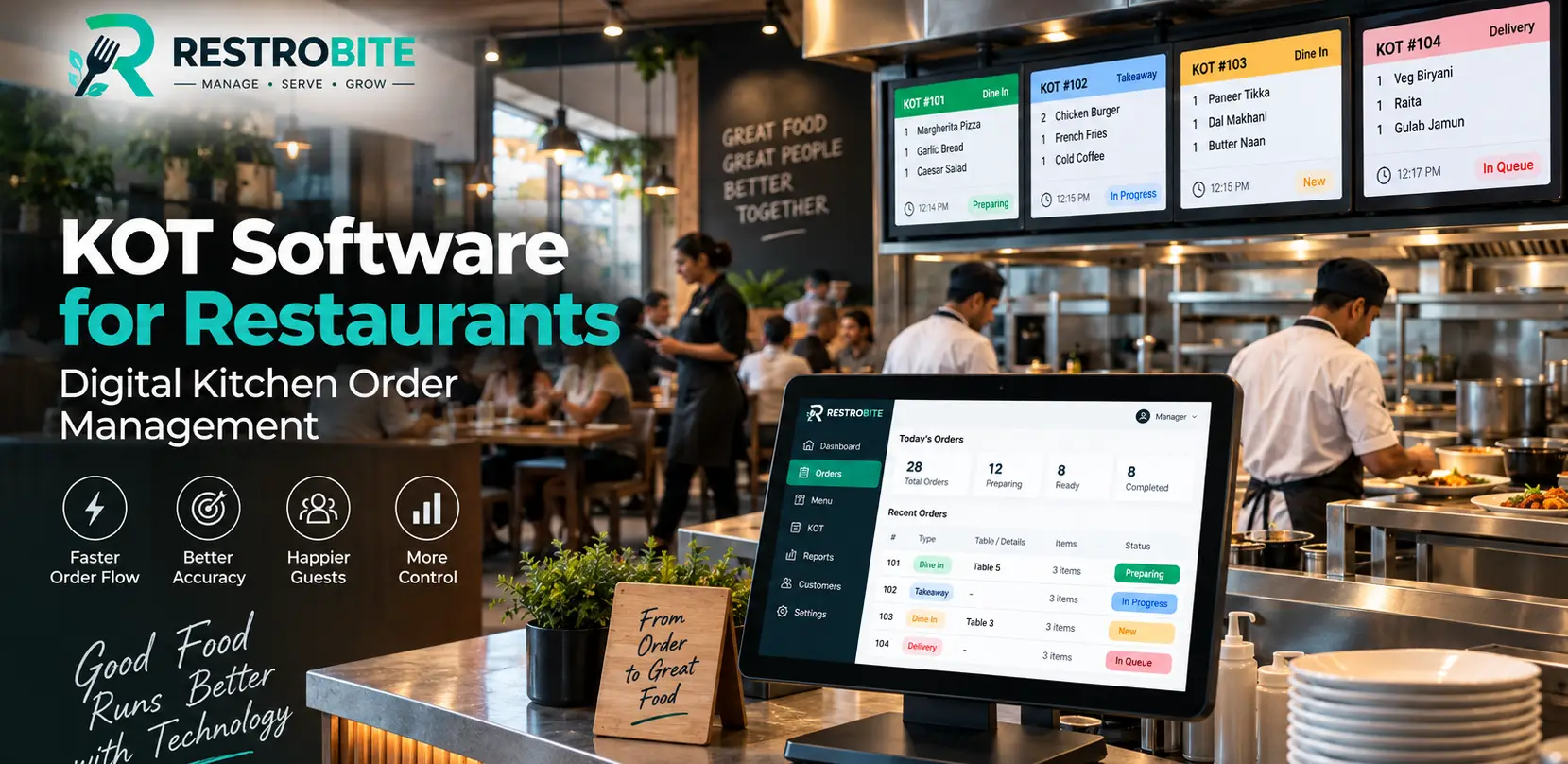
Managing kitchen orders efficiently is one of the most important parts of restaurant operations. When orders are written manually, passed between staff members, or communicated verbally, there is a greater chance of missing items, unclear instructions, duplicate orders, or delays during busy service hours.
KOT Software provides a digital way to manage Kitchen Order Tickets (KOTs) from the restaurant's point-of-sale system to the kitchen. Instead of relying entirely on handwritten tickets, restaurants can send structured order information directly to the appropriate kitchen or preparation station.

In this guide, we will explain what KOT software is, how digital kitchen order management works, its key features, benefits, KOT printing, kitchen station management, and how restaurants can choose the right KOT system.
What Is KOT Software?
KOT software is a digital kitchen order management solution that helps restaurants send food and beverage orders from the POS system to the kitchen. KOT stands for Kitchen Order Ticket.
A KOT typically contains the information kitchen staff need to prepare an order, such as menu items, quantities, modifiers, special instructions, table information, order type, and other relevant details.
With digital KOT software, these details can be transferred from the restaurant POS to the appropriate kitchen station without requiring staff to manually rewrite or verbally communicate every order.
How Does KOT Software Work?
A typical KOT workflow starts when a waiter, cashier, or restaurant employee enters an order into the POS system. The order is then processed according to the restaurant's configuration and sent to the relevant kitchen printer, KOT display, or preparation station.
- Customer places an order.
- Staff enters the order into the restaurant POS.
- The POS creates the kitchen order.
- The KOT is routed to the appropriate kitchen station.
- Kitchen staff receive the order details.
- Food preparation begins according to the order.
- The completed order is handed over for serving or takeaway.
This workflow creates a connection between the front-of-house ordering process and back-of-house kitchen operations.
Why Do Restaurants Need Digital KOT Management?
During peak restaurant hours, the kitchen may receive many orders within a short period. Managing those orders using handwritten tickets can become difficult as order volume increases.
Digital KOT management can help organize incoming orders and provide kitchen staff with clearer information. It can also make it easier to separate orders according to kitchen stations or preparation areas.
The goal is not simply to replace paper. A well-designed KOT workflow should make order information easier to communicate, organize, prioritize, and process.
Key Features of KOT Software
1. Digital Kitchen Order Tickets
Digital KOTs replace or reduce dependence on handwritten kitchen tickets. Once an order is entered into the POS, the relevant kitchen information can be sent to the configured kitchen output.
This gives kitchen staff a consistent format for reading order information and reduces the need to interpret handwritten notes.
2. KOT Printing
Many restaurants continue to use thermal printers in their kitchens. KOT software can send order information to a connected kitchen printer so staff can receive a physical ticket for preparation.
A typical KOT printout may contain the table number, order number, items, quantities, modifiers, special instructions, and order type.
3. Kitchen Station Routing
Restaurants with multiple preparation areas may need to send different items to different stations. For example, food orders may go to the main kitchen while beverage orders go to the bar.
KOT software can support this type of workflow when the POS provides configurable kitchen or printer routing.
4. Order Modifiers and Special Instructions
Restaurant orders often contain customizations such as less spicy, no onion, extra cheese, specific cooking preferences, or other customer requests.
Digital KOTs can include these instructions with the relevant order item, helping kitchen staff see the requested modifications as part of the order.
5. Dine-In and Takeaway Orders
Restaurants handle different order types throughout the day. A KOT system should make it easy for kitchen staff to distinguish dine-in, takeaway, delivery, and other configured order types.
6. Order Number and Table Information
Clear order and table information helps kitchen staff associate prepared food with the correct customer order. This becomes especially important during busy periods when multiple orders are being prepared simultaneously.
7. Multiple Kitchen Printers
Larger restaurants may use multiple kitchen printers for different preparation areas. For example, a restaurant might have separate printers for the main kitchen, bakery, bar, and dessert station.
Configuring the KOT workflow around these stations can help keep preparation responsibilities organized.
8. POS Integration
KOT software works most effectively when it is connected with the restaurant POS. Staff can enter the order once at the POS instead of maintaining separate order records for billing and kitchen preparation.
Learn more about RestroBite Restaurant POS Software and how POS functionality supports restaurant order management.

Benefits of KOT Software for Restaurants
Better Order Communication
Digital KOTs provide a structured way to communicate orders from the front desk or service area to the kitchen. Kitchen staff can see the information associated with each order without depending entirely on verbal communication.
Reduced Manual Entry
When orders are entered directly into a POS, staff do not necessarily need to rewrite the same order on a separate kitchen ticket. This can reduce duplicate manual entry and make the order flow more consistent.
Improved Order Organization
During busy service periods, organizing orders is essential. Digital KOT workflows can help kitchen staff distinguish orders by order number, table, station, and order type.
Faster Kitchen Communication
Sending order information directly from the POS to the kitchen can reduce the number of steps involved in communicating an order.
Clearer Special Instructions
Special requests and item modifiers can be displayed as part of the KOT, giving kitchen staff the information required to prepare customized orders.
Better Coordination Between Front and Back of House
A connected POS and KOT workflow creates a common order record for restaurant employees. This can make communication between waiters, cashiers, kitchen staff, and managers more organized.
Paper KOT vs Digital KOT Software
Paper KOTs can work for small restaurants with simple operations. However, as order volume, menu complexity, or the number of kitchen stations increases, restaurants may benefit from a more structured digital workflow.
| Feature | Paper KOT | Digital KOT Software |
|---|---|---|
| Order Entry | Written manually | Entered through POS |
| Order Communication | Physical ticket or verbal communication | Digital or printer-based workflow |
| Handwriting Issues | Possible | Reduced through typed order details |
| Modifiers | Written manually | Can be included with the order |
| Kitchen Routing | Manual | Can be configured digitally |
| Order Tracking | Primarily physical tickets | Connected with POS workflow |
| Multiple Stations | Requires manual sorting | Can support configured routing |
KOT Software and Restaurant POS Integration
KOT management is closely connected to restaurant billing and POS operations. When a customer places an order, the POS is responsible for recording the order, while the KOT workflow communicates the relevant preparation information to the kitchen.
This means restaurants do not need to treat billing and kitchen operations as completely separate processes. A connected system can create a single workflow from order entry to kitchen preparation and final billing.
For example, a waiter can enter a table order into the POS. The kitchen receives the relevant KOT while the POS maintains the order information required for billing. When the order is completed, the same transaction can continue through the restaurant's normal service and payment workflow.
If you are comparing restaurant technology platforms, review the available RestroBite POS plans and pricing to understand which features are included with each plan.
How KOT Software Can Support Different Restaurant Types
Restaurants
Full-service restaurants can use KOT software to send table orders from the service team to the kitchen while maintaining clear table and order information.
Cafes
Cafes can use digital kitchen orders for food, beverages, desserts, and customized items, particularly when multiple orders are being processed at the same time.
Cloud Kitchens
Cloud kitchens depend heavily on accurate order communication because there may be no traditional dining area or waiter workflow. Digital KOT management can help connect incoming orders with kitchen preparation.
Quick-Service Restaurants
Quick-service restaurants process orders rapidly, making clear kitchen communication especially important. KOT software can help staff organize orders and route them to the relevant preparation areas.
Multi-Station Kitchens
Restaurants with separate cooking stations can use KOT routing to organize which kitchen team receives specific items or categories of an order.
What Should You Look for in KOT Software?
Not every restaurant needs the same KOT workflow. Before choosing software, consider the restaurant's menu size, order volume, kitchen layout, number of preparation stations, printer requirements, and POS setup.
1. Easy Order Entry
The POS should make it easy for waiters and cashiers to enter orders quickly and accurately.
2. Reliable KOT Printing
If your kitchen uses thermal printers, check printer compatibility and ensure the software can route KOTs to the correct printer.
3. Kitchen Station Support
Restaurants with multiple preparation areas should check whether the software supports kitchen-wise or station-wise order routing.
4. Modifier Support
The system should allow restaurant staff to add relevant item modifications and customer instructions so that kitchen staff receive complete order information.
5. POS Integration
KOT functionality should be connected to the restaurant's POS rather than operating as an isolated system whenever possible.
6. Offline Operation
Restaurants should also consider what happens when internet connectivity is interrupted. An offline-capable restaurant POS can help maintain essential billing and order workflows during connectivity problems.
Read more about offline POS software for restaurants and how offline restaurant operations can continue during internet interruptions.

KOT Printing and Kitchen Printer Setup
Thermal printers are commonly used in restaurant kitchens because they can produce compact order tickets quickly. A KOT printing setup typically includes a POS terminal, restaurant network or local connection, thermal printer, and kitchen configuration.
Restaurants should decide where each printer will be placed based on the kitchen workflow. For example, a printer near the main cooking area may receive food orders while another printer near the beverage station receives drink orders.
Proper printer naming and routing are important because a technically functioning KOT system can still create operational problems if orders are sent to the wrong kitchen station.
KOT Software and Food Safety Operations
KOT software primarily manages order communication; it does not replace food safety procedures. Restaurants still need appropriate food handling, hygiene, storage, cleaning, and staff practices.
The Food Safety and Standards Authority of India (FSSAI) provides information and guidance related to food safety and compliance for food businesses in India.
Restaurants should use their KOT and POS systems as operational tools while continuing to follow the applicable food-safety requirements for their business.
How RestroBite Handles KOT Management
RestroBite combines restaurant POS, billing, order management, KOT, inventory, tables, payments, and reporting in one restaurant management platform.
Its restaurant POS supports KOT workflows so that orders entered through the POS can be used for kitchen preparation and billing. This can help restaurants connect front-of-house order entry with back-of-house kitchen operations.
RestroBite also supports thermal receipt and KOT printing, making it suitable for restaurants that use printed kitchen tickets as part of their daily workflow.
Restaurants can review the available RestroBite pricing and POS features before deciding which plan fits their operational requirements.
How to Implement KOT Software in a Restaurant
- Map the kitchen workflow: Identify the kitchen stations and preparation areas.
- Configure the menu: Add menu items, categories, modifiers, and preparation requirements.
- Configure KOT routing: Decide which items should be sent to each kitchen station or printer.
- Connect kitchen printers: Test printer connectivity and ticket formatting.
- Train restaurant staff: Train waiters, cashiers, managers, and kitchen staff on the new workflow.
- Test during service: Run sample dine-in and takeaway orders before using the system during a busy shift.
- Review the workflow: Monitor whether orders reach the correct station and whether kitchen staff can understand the tickets easily.
Common KOT Software Mistakes to Avoid
Using Too Many Unnecessary Stations
Creating excessive kitchen stations can make order routing more complicated. Configure stations according to the actual preparation workflow.
Ignoring Menu Modifiers
If modifiers are not configured properly, important customer instructions may not reach the kitchen in a clear format.
Not Testing Printer Routing
Before going live, test every printer and kitchen station. A KOT sent to the wrong printer can cause delays even when the POS itself is working correctly.
Insufficient Staff Training
Technology works best when employees understand the workflow. Staff should know how to create orders, add modifiers, handle cancellations, and communicate issues.
Final Thoughts
KOT Software can help restaurants create a more organized connection between customer orders and kitchen preparation. Digital KOTs can reduce dependence on handwritten tickets, provide clearer order information, support kitchen routing, and connect kitchen operations with restaurant POS billing.
When choosing a KOT system, restaurants should look beyond basic ticket printing. Consider POS integration, kitchen station routing, printer compatibility, menu modifiers, order types, offline capability, staff training, and the overall restaurant workflow.
If you are looking for a restaurant POS platform with integrated KOT and billing capabilities, explore RestroBite POS or review the available RestroBite plans .
You can also book a RestroBite demo to discuss your restaurant's POS and KOT requirements.